Guides & Tutorials

How to track your cholesterol

Everything you need to know about using Heart Tracker to manage your cholesterol, track meals, and take control of your heart health. Step-by-step guides written for real people.

Start with Getting Started →
Full Guides

Master Heart Tracker

From your first login to understanding complex cholesterol patterns

Quick Start

Get up and running in minutes

The essentials to start tracking today

Setting up the Heart Tracker app profile
1

Download & setup

Install Heart Tracker from the App Store. Create your profile with your age, height, and current cholesterol numbers if you have them.
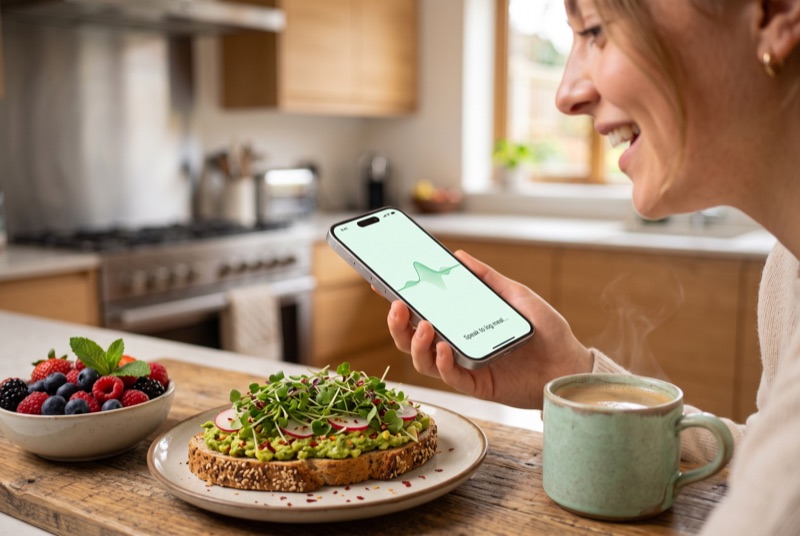
Logging a meal with voice entry
2

Set your goals

Enter your target cholesterol levels based on your doctor's recommendations. The app will help you track progress toward these goals.

Viewing cholesterol trends and food patterns
3

Start tracking

Log your first meal using voice entry, barcode scanning, or search. It takes seconds and gets easier every time you use it.

Building lasting heart-healthy habits
4

Watch patterns emerge

After a few days of tracking, you'll start seeing how your food choices affect your cholesterol. The insights become clearer over time.

Read the Full Getting Started Guide
Common Questions

What people ask most

Quick answers to help you get the most from Heart Tracker

How accurate is voice meal entry?

Voice entry uses Apple Intelligence to understand natural language and matches your description to the 4.5 million-item food database. It's remarkably accurate for common foods and meals. You can always review and adjust entries if needed.

Do I need Apple Health?

No, Apple Health is optional. However, connecting it lets you sync workouts, sleep data, heart rate, and other metrics that provide a fuller picture of your health. It makes the insights more personalized.

How often should I log cholesterol tests?

Most doctors recommend testing every 3-6 months when managing cholesterol. Log results as soon as you get them so you can track trends over time and see how lifestyle changes affect your numbers.

Can I track food for family members?

Heart Tracker is designed for individual tracking to maintain privacy and accuracy. Each family member should use their own device with their own instance of the app for the best experience.

Is my data stored in the cloud?

No. All your health data stays on your device. Nothing is uploaded to cloud servers. This means complete privacy, but also means your data isn't backed up automatically. If you get a new device, you'll start fresh.

Visit Support Center for More Questions
Step-by-step guides

Ready to go deeper?

Our full guides walk you through every part of the app in detail.

Getting Started Tracking Meals Managing Cholesterol Understanding Results

Ready to start?

Download Heart Tracker and start tracking your heart health today.

Download Free for iPhone & iPad

Free to use • iOS 17.0 or later • No account required