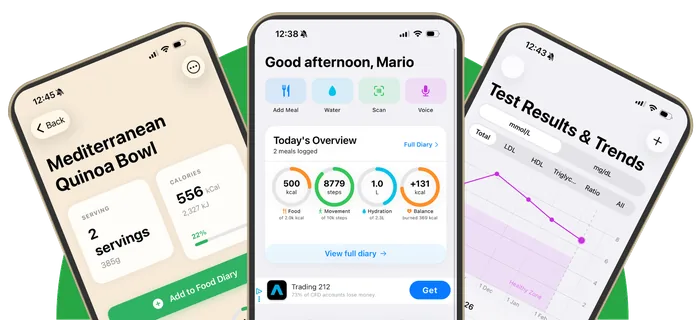
Smarter with Apple Intelligence, private by design
On supported iPhones, Apple Intelligence makes photo and voice logging, menu and label scans, meal analysis and your weekly reviews smarter. It runs on your iPhone.
Get Heart Tracker free

Heart Tracker uses Apple Intelligence, Apple's own AI, and no third-party AI service. On iPhones that support it, Apple's model runs on your iPhone to understand meal photos and descriptions, read menus and labels, analyse meals and write your weekly notes. Larger requests can use Apple's Private Cloud Compute, but only if you allow it. Every feature has a standard version, so the app works fully without Apple Intelligence.
What Apple Intelligence does in Heart Tracker
| Feature | With Apple Intelligence | Without it |
|---|---|---|
| Photo logging | Names foods and estimates portions from the photo (iOS 27) | Apple's Vision food recognition on the device |
| Voice logging | Understands whole meals, portions and cooking methods | Dictation into food search |
| Menu scan | Rates each dish and suggests how to order better | Ratings from Heart Tracker's heart rules |
| Nutrition label scan | Fills in values the scan couldn't read | Reads UK, EU and US labels on the device |
| Meal and dish analysis | Written feedback on a meal or recipe | Rules-based health analysis |
| Plan my week | A personal 7-day menu from the recipe library | A rules-based week plan |
| Weekly note and reviews | A short note written from your week's numbers | Template summary |
| Ask a question about cholesterol | Answers from Heart Tracker's own articles, with sources | Article search |
Apple Intelligence needs a supported iPhone (iPhone 15 Pro or later) with Apple Intelligence turned on. Photo understanding needs iOS 27. Heart Tracker works on any iPhone running iOS 26 or later.
Your health data and AI
- No third-party AI. Heart Tracker doesn't send your meals, results or photos to ChatGPT, Gemini, Claude or any other AI company.
- On your iPhone by default. Apple's on-device model does the work, so data doesn't leave your phone.
- Private Cloud Compute is off unless you allow it. On iOS 27, some larger requests (a meal photo, a menu, a week plan) can run on Apple's Private Cloud Compute. The first time a feature would use it, Heart Tracker asks: Allow or Keep on iPhone.
- Your most personal data stays on the device. Features that include your weight, activity or test results never prompt for Private Cloud Compute, and stay on the iPhone unless you've already allowed it.
- You're in control. Settings > Apple Intelligence lets you turn Private Cloud Compute, or Apple Intelligence itself, off for the app.
Health insights on your test results are calculated on your device from published guidelines, not by AI. Read the full privacy policy.
Ask a question about cholesterol
The Articles section now has a question box. Ask "Is coconut oil bad for cholesterol?" or "How much fibre do I need?" and Heart Tracker answers from its own articles, with a link to each source. It won't answer personal medical questions. Those it points to your doctor.
Siri and Shortcuts
Ask Siri what's on today's heart menu, check your weekly heart score, tick a food group in your daily check-in or complete today's LDL Reset task. These work through Siri and the Shortcuts app on every supported iPhone.
Frequently asked questions
Does Heart Tracker use ChatGPT or another AI company?
No. Heart Tracker uses only Apple Intelligence, Apple's own AI, through Apple's Foundation Models framework. No data is sent to any third-party AI service.
Does Heart Tracker send my health data to the cloud for AI?
Not unless you allow it. Apple Intelligence runs on your iPhone. Private Cloud Compute, Apple's privacy-preserving server model, is only used for some larger requests if you say Allow, and you can turn it off in Settings.
Which iPhones support the AI features?
iPhones with Apple Intelligence, which means iPhone 15 Pro and later with Apple Intelligence turned on. Photo understanding needs iOS 27. Every feature also works without Apple Intelligence on any iPhone running iOS 26 or later.
Is AI used to interpret my cholesterol results?
No. The explanations of your test results are calculated on your device from published guidelines, with sources you can check.
Do the AI features cost extra?
No. Heart Tracker is free, and the Apple Intelligence features are included.
Related
Smarter on your iPhone, private by design
Apple Intelligence where you have it, the full app where you don't. Free, no account.
Download on theApp StoreFree download • iPhone and iPad • iOS 26.0 or later • No account needed