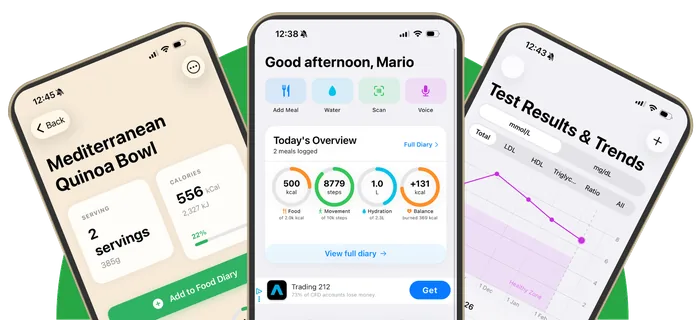
Snap or say your meal
Photograph your plate or describe it out loud. Heart Tracker finds each food and a portion, then you check every match before you save.
Log your next meal by photo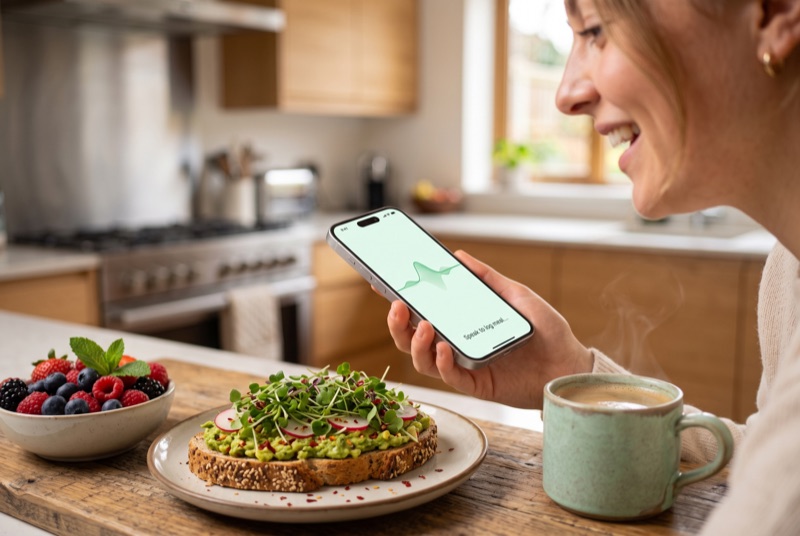
Heart Tracker 2.2 lets you log a meal by taking a photo of it. The app recognises each food on the plate, suggests a portion and matches it to its food database, so calories, saturated fat, fibre and soluble fibre are filled in for you. You check each match and portion, change anything that's wrong with one tap, and save. Prefer talking? Say what you ate instead.
How photo logging works
- Tap Add Meal and choose Photo, then take a picture of your plate or pick one from your library.
- Heart Tracker names each food and suggests a portion. On iPhones with Apple Intelligence running iOS 27, the model looks at the photo itself and estimates portions. Other iPhones use Apple's Vision food recognition on the device.
- Each food is matched to Heart Tracker's foods first. If there's no good match, it searches Open Food Facts online, and as a last resort uses an estimate clearly labelled "(AI estimate)".
- Check each row. Tap Change to swap a match, and adjust the portion. Heart Tracker remembers your swaps, so the next photo of that food matches the way you like.
- Save. Your day's calories, saturated fat and fibre update straight away.
Why you always check before saving
No photo app can see the butter in your mashed potato or tell semi-skimmed from whole milk. For someone watching their LDL, those details matter. So Heart Tracker never saves a photo meal without showing you what it found. Matching is built to avoid the classic mistakes, like logging "beef" as beef broth from a burger photo: it matches the main food, prefers cooked over raw or dried versions, and drops vague names.
Or just say it
Voice logging got smarter in 2.2 too. Say "porridge with blueberries and a coffee with semi-skimmed milk" and each food is matched with a portion. Foods that aren't in the app's own database are now searched online, and when the app has had to guess a portion it asks you to check it.
Every way to log a meal
Photo
Snap your plate and confirm the matches.
Label scan
No barcode? Photograph the nutrition label and the new food fills itself in.
Custom foods →Repeat
Had the same lunch as yesterday? Log it again with one tap, or from the meal reminder without opening the app.
Log it roughly
Can't find it? Log a rough estimate in seconds so the day still counts.
Built for cholesterol, not just calories
Most photo calorie counters stop at calories and macros. Heart Tracker shows saturated fat up front, the number that matters most for LDL, plus soluble fibre and dietary cholesterol, and gives every food a heart verdict. Logging on three or more days a week is what makes the weekly heart score and progress reviews useful.
Frequently asked questions
Can I log food by taking a picture?
Yes. In Heart Tracker 2.2, tap Add Meal, choose Photo and take a picture of your plate. The app finds each food and a portion, and you confirm the matches before saving.
How accurate is photo food logging?
Photo logging is a quick starting point, not an exact measurement. Portion sizes and hidden ingredients like oil or butter are hard to see, which is why Heart Tracker shows every match and portion for you to check and change before you save.
Do I need Apple Intelligence for photo logging?
No. Photo logging works on any iPhone running iOS 26 or later using Apple's on-device Vision food recognition. On iPhones with Apple Intelligence and iOS 27, it recognises more foods and estimates portions from the photo.
Are my meal photos uploaded?
Photos are analysed on your iPhone. If you've allowed Apple's Private Cloud Compute, a larger request can run on Apple's privacy-preserving servers. Heart Tracker doesn't send photos to any third-party AI service. Only food names are searched online when a food isn't found. See our privacy policy.
Is photo meal logging free?
Yes. Photo, voice, barcode and label logging are all free in Heart Tracker, with no subscription.
Related
Log a meal in seconds
Snap it, say it or scan it. Saturated fat and fibre filled in for you. Free on iPhone.
Download on theApp StoreFree download • iPhone and iPad • iOS 26.0 or later • No account needed